
P261
Slow Scan Television (SSTV)
Slow Scan Television (SSTV) has been a part of Amateur Radio since the 1960’s. Conventional fast scan television refreshes the information on a screen around 25 frames per second to show movement of people and objects. This takes a lot of bandwidth and original analog television transmissions would require approximately 5MHz of bandwidth to broadcast video. This high spectrum usage limited transmissions to VHF and above, which in turn limits the range of transmissions. SSTV turns this around by taking 30-200 seconds to transmit a single image in an analog format. Accordingly, this requires a greatly reduced bandwidth and it is possible to send an SSTV image long distances on HF radio using the same spectrum as an operator talking into a microphone. The technology is inherently similar to facsimile transmissions.
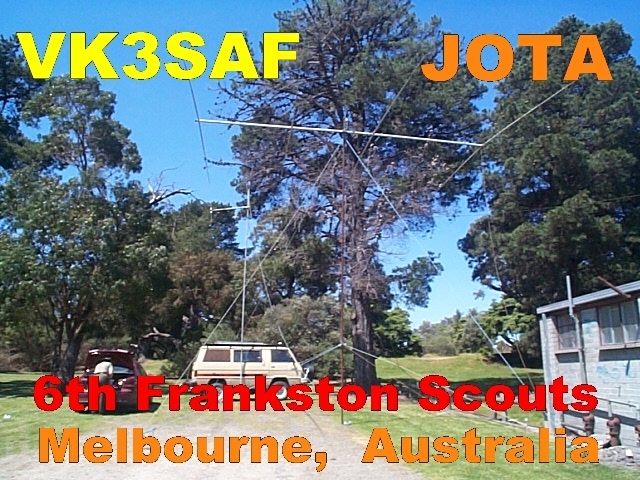
SSTV is a lot of fun to set up and operate and remains a popular mode for Jamboree On The Air (JOTA/JOTI) where images of Scout and Guide groups can be shared.
Early SSTV
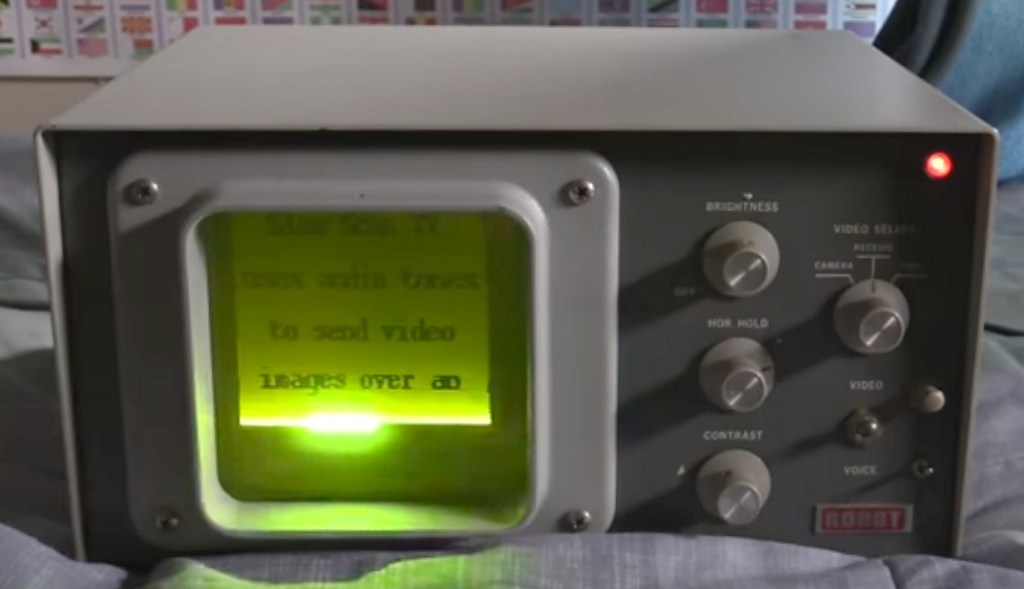
Before the personal computer became the main platform for SSTV various analog methods were used to process and display received images. A common method was to have the incoming signal resolve on a CRT tube, as used within an oscilloscope, except for SSTV the phosphor within the tube had to be very slow acting to keep the received image on the screen for longer duration. Such screens were rated for persistence and had a particular ‘P’ rating. A characteristic effect of this technology was the top part of the image would have begun to fade as the lower part was still arriving.
International Protocols
There are several different conventions and protocols of SSTV transmission. Some are of short transmission and quality is coarse. Others take longer to send with more lines per image and this results in better quality outcome. The two most common protocols are Scottie-1 and Martin-1, with Scottie-1 being prevalent within Australia. The beginning of each transmission features a special header sequence which should trigger the commencement of a fresh capture event at the receiving end. If the header is missed, the receive operator may have to manually trigger a start sequence in order to view the remainder of the broadcast image.
Simple interface required
Where audio is coupled between a PC and a transceiver, the best results are via small audio isolation transformers and level adjustment from the Audio output of the PC to the microphone input of the radio. Likewise the external speaker output of the radio can be coupled to the Line input of a PC via a second audio isolation transformer. This reduces the risk of earth loops and extraneous noise in transmitted and received audio.
Crude but effective performance can be achieved simply by placing a Laptop PC with SSTV software near to a transceiver speaker and microphone. This method works in a quiet space but any background noise within the shack can disrupt picture quality.
Sometimes the SSTV software can link to an RS232 port to use a handshaking line to control the PTT line of the transceiver. This allows the computer to automatically force the radio into transmit mode when a picture is being sent.
To better understand what an SSTV signal sounds like, this short clip shows an audio spectral image of the sounds and the image that is being sent from the International Space Station.
Preferred Frequencies for SSTV
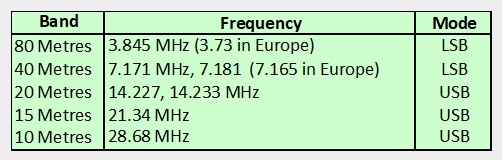
There are preferred slots on each of the HF bands for SSTV activity
PC Software
A favourite program for SSTV in the 1990’s was Chroma Pix or CPIX. This is when home computers were all 286 and 386 machines and required sound cards to send and receive audio. It was quite an accomplished bit of software and widely used around the world, but PC platforms changed over time and hardware compatibility issues saw it phased out of most shacks.

Today most stations opt for MMSSTV, a free downloadable application for SSTV that is quite flexible and friendly to use.
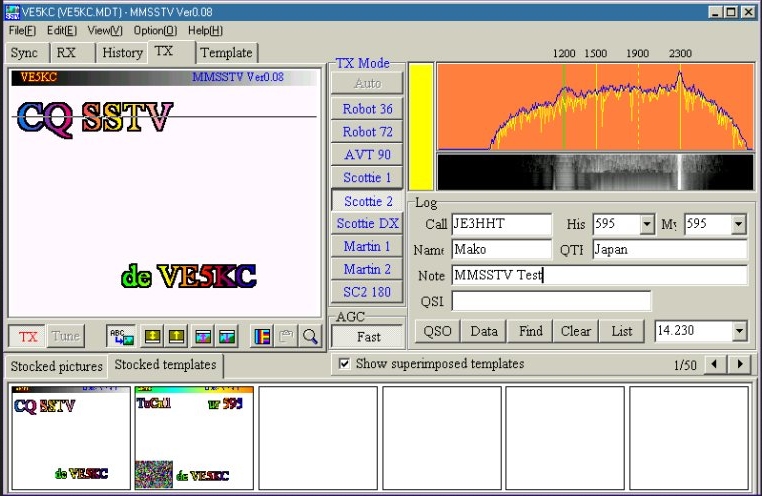
Images are in colour and are transmitted line by line. It is important that the receive computer is speed synchronised with the transmitting station. If one or the other is operating a t a slightly different clock frequency, then the image can become skewed sightly, as we see in the example below.

Useful SSTV Links
Some interesting background on SSTV development:
https://vk6ysf.com/sstv_overview.htm
Download MMSSTV from this site for free:
https://hamsoft.ca/pages/mmsstv.php
A tutorial site on how to get the most out of MMSSTV:
 This Is Amateur Radio